What operating system can the software use?The system is Windows based from XP onwards and up to Windows 10, including Windows Server for multi user operation
How easy is it to set up/install the software?Easy, the software works with any version of Microsoft Windows operating system and can be operational within 15 minutes
Is the software an extra cost and does it incur annual subscription?The software is part of the system at no extra charge and there is no annual subscription at all
Can the software use SQL?Yes, by default the software uses Microsoft Database, however, using SQL is very easy to do. Page 63 of the AC8000 Setup Guide will show you
HereCan I plug the controller directly in to my laptop as I do not have a router?Yes, you can. An Ethernet cable is required and you just plug it into the controller and in to your computer - away you go
LAN connection via a router is the most common setup for small networks. WAN (Wide Area Network) is via internet access outside of the typical network you might have. For this you would require Port Forwarding via your router - all common routers have this facility
The AC8000 Setup Guide will give you an idea on how to do this
HereCan I configure a multi door system as you only have 1 and 2 door control systems available?Yes you can, simply by adding extra access control cards and card readers to your order. You would simply connect the additional control cards to your router or hub and add the control systems into the software
How many control systems can I add?There is no limit because it is LAN/WAN connection
Can I use a card reader as an exit device in place of an exit button?Yes, you can use either or both
Can I use a finger print reader?Yes you can. We do not supply finger print readers but we can provide instructions on how to do this and it is very simple. Please email us for this
What cable distances can the card readers operate to?The card reader/s should be no more than 80 - 90mtr from the control board
What cable do I need? We would suggest between 6 core and 8 core shielded twisted pair alarm cable at the very least or quality cable such as Belden 9536 shielded cable for best results. Do NOT use CAT5/6 cable for the card readers. The operational distance will be minimal and interference can occur
Does the control board and software monitor who enters the door and who exits the door?Yes it does as long as you have a card reader for both entry and exit
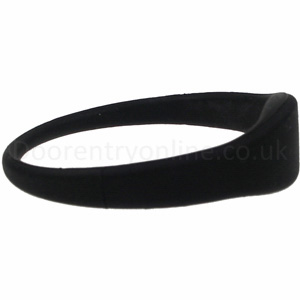
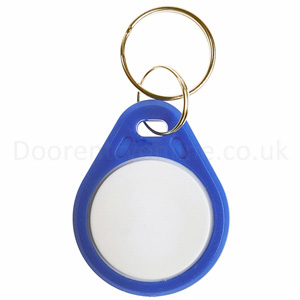
I have some existing cards/key fobs, will they work with this system?It's not possible to confirm because there are several formats of cards/key fobs. Mifare cards/key fobs will not work with our card readers as they are Wiegand 125khz EM-RFID readers, however, if you have Mifare card readers then the software will recognise them and will allow you to use your Mifare cards/fobs
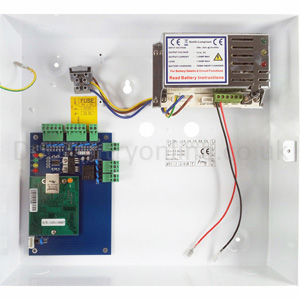
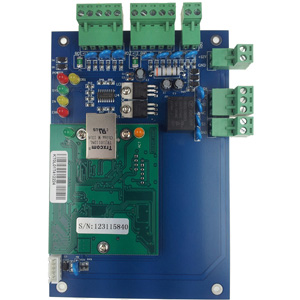
Where do the control cards fit?They are supplied with self-adhesive sticky pads and you simply fit them yourself inside the power supply
Do I need the PC on all the time, and what happens in the event of a power failure?No, you do not need to have your computer on all the time. The control board will retain up to 100,000 transactions for offline use - it will then overwrite the first transaction in the event that you do not "UPLOAD" the transactions to your computer
You would require battery back-up if a power failure occurs otherwise the system will not work
Can I fit a battery in the power supply cabinet?Yes you can, depending upon how many control cards you have in one power supply cabinet

 Twitter
  Facebook
  Linkedin
 Google+
  You Tube